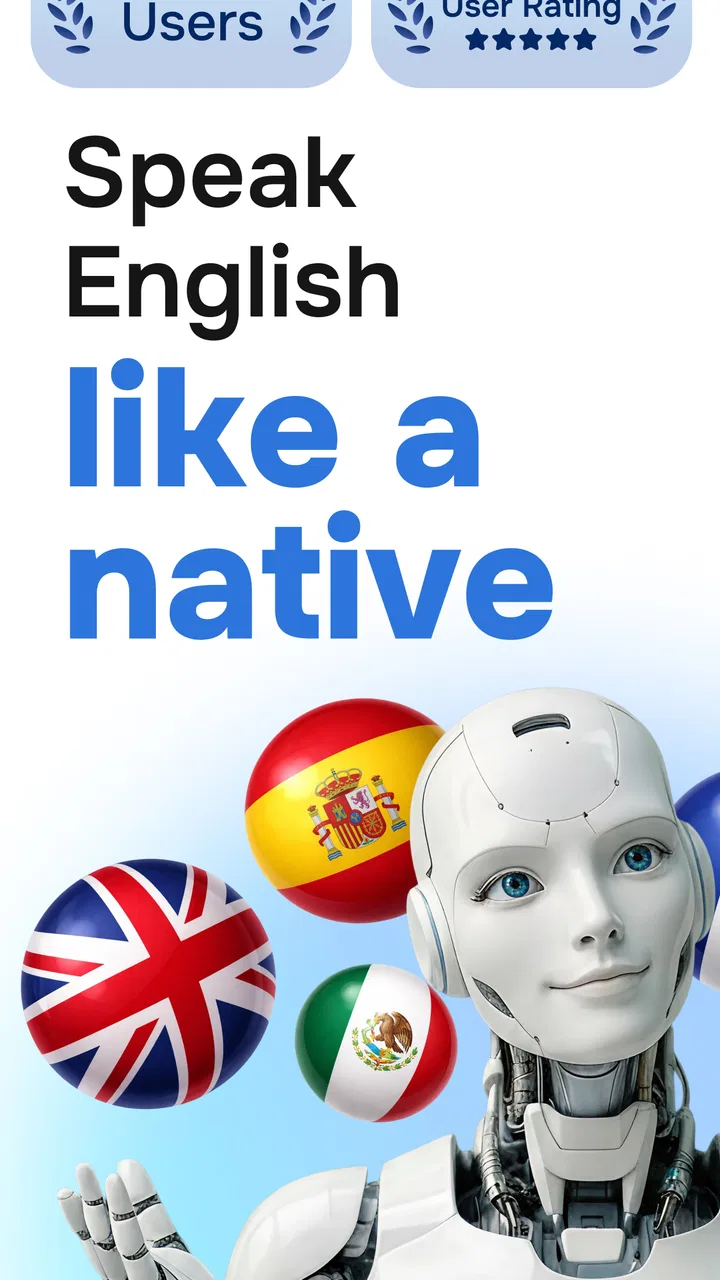
Learn English, Spanish: Learna
- 4.6
- Rating
- 50.00M
- Installs
- Free
- Price

 Analysis by App-foxy
I came away from Learna with the impression that it is most useful when treated as a speaking companion rather than a complete replacement for a language course. Its focus is practical: helping learners study, speak, and practise English or Spanish with AI in short sessions. That makes it easy to fit into a busy day, especially if opening a textbook feels like too much effort. At the same time, its conversational approach will not suit everyone. Learners who need a carefully sequenced curriculum, detailed grammar instruction, or teacher-led correction may eventually want something more structured.
That balance is important because the app is popular enough to create high expectations. It is a free education app from Deep Flow Apps, with a 4.6 average from around 410 thousand ratings and more than 10 million installs. Those figures suggest that the basic idea works for a large audience, but they do not tell me whether it will match your learning style. After using it as a casual practice tool, I would recommend it most strongly to beginners and lower-intermediate learners who need confidence using everyday language.
How Learna feels in everyday language practice
The first thing I noticed is that Learna tries to reduce the distance between studying a language and actually using it. Instead of making every session feel like a formal lesson, it encourages repeated contact with English or Spanish through practice and conversation. That is a sensible choice for people who understand more than they can say. Many learners can recognise words in an exercise but freeze when they need to produce a sentence. A speaking-focused app addresses that particular problem better than a long list of vocabulary cards.
You May Also Like

 Pandora - Music & Podcasts
Pandora’s Music Is Easy to Start, but Harder to Recover
Pandora’s strength is its low-effort path from a seed to a station. Its weak spot is how much confidence it asks you to place in connection, setup, and quiet recovery.

 8 Ball Pool
 Is Built on Rivalries, Rematches, and Routine
A close look at the rivalries, rematches, shared routines, and unanswered safety questions that turn a quick pool match into a persistent mobile community.

 Samsung Music
’s Quiet Strength Is Playing What You Already Own
Its reach comes less from spectacle than from dependable access to a personal library. That simplicity is both the app’s strongest retention engine and its ceiling.

 AccuWeather: Weather Radar
AccuWeather Review: A Quick, Clear Forecast for Everyday Decisions
For everyday plans, the best forecast is the one you can understand quickly. AccuWeather makes rain timing, radar, and local conditions easy to act on, with a few trade-offs.

 Hill Climb Racing
Why Hill Climb Racing Still Turns Crashes Into One More Run
A tiny car, a bumpy hill and one more upgrade: Hill Climb Racing keeps resurfacing because its simple chaos makes every near-miss feel personal.

 AliExpress - Shopping App
AliExpress Makes Global Shopping Feel Personal, but Shoppers Bear the Risk
AliExpress turns a global marketplace into a pocket-sized discovery engine. Its reach is useful, its shopping loop compelling, and its trade-offs easy to miss.
More From Our News Desk
View All News


I found the format especially suitable for small gaps in the day. A few minutes while waiting for an appointment, a short session before work, or a quick review in the evening can feel more realistic than promising myself a full hour of study. The app’s value comes from making practice easier to start. That may sound modest, but consistency is often where language learning fails. A tool that I willingly open several times a week can be more useful than a sophisticated course that I abandon after a few sessions.
The AI angle also changes the emotional experience. Speaking to software can feel less intimidating than speaking to another person, particularly for someone who is worried about making mistakes. I would not treat that comfort as a substitute for real conversation, but it can be a useful bridge. Learners get a place to form sentences, test familiar expressions, and become less hesitant before using the language with a friend, colleague, tutor, or travel companion.
English and Spanish are a practical pair of choices. English is useful for work, travel, online communication, and access to information, while Spanish gives learners a way to communicate across many regions and communities. The app is therefore easy to understand as a first language-learning download, but its usefulness still depends on what you want to do. Someone preparing for a formal examination will need to judge it by a different standard from someone who simply wants to order food, introduce themselves, or hold a basic conversation.
The strongest part is lowering the pressure to speak
For me, the strongest argument for Learna is its emphasis on active use. Reading a translation or tapping a multiple-choice answer can create the feeling of progress without requiring much language production. Speaking practice is harder because it exposes gaps immediately. That discomfort is exactly why it can be valuable. Even when a learner has only a small vocabulary, trying to express a complete thought reveals which words and sentence patterns deserve attention next.
A useful way to approach the app is to give each session a narrow purpose. I would not open it with the vague goal of “learning Spanish.” I would choose something more specific, such as practising introductions, describing a daily routine, or preparing phrases for a trip. After a session, I would write down the expressions that felt difficult and reuse them later without looking. This turns a short interaction into a repeatable learning loop instead of a one-time activity.
Another practical technique is to speak before checking whether the answer is correct. It is tempting to wait until a sentence feels perfect, but that habit slows down fluency. I found more value in attempting the sentence first, noticing where I hesitated, and then trying again with a simpler structure. Learna works best in that cycle of attempt, correction, and repetition. The goal is not to sound advanced immediately; it is to become quicker at communicating with the language already available.
I also think the app can help learners separate recognition from recall. If I understand a phrase when I see it but cannot produce it independently, I have not fully learned it yet. Speaking practice makes that distinction obvious. A good personal routine is to revisit a difficult phrase later in the day and say it from memory, then adapt it to a different situation. For example, a phrase used to describe a morning routine can be changed to describe yesterday or tomorrow. That kind of variation is more useful than repeating one fixed sentence mechanically.
Where the AI approach has limits
The same feature that makes Learna approachable can also make it feel less complete than a traditional course. AI conversation is convenient, but convenience does not automatically provide a clear progression from beginner material to more advanced communication. Some learners need a visible path that explains what to study next, why a grammar rule works, and how one lesson connects to the following one. If that structure is central to your motivation, you may find a dedicated course or teacher more satisfying.
I would also be cautious about treating every correction as the final word on natural language. An AI-based practice experience can help me notice errors and build confidence, but language has context, tone, regional variation, and social nuance. A sentence can be grammatically understandable yet sound too formal, too direct, or unusual in a particular setting. For important situations such as job interviews, academic writing, or sensitive conversations, I would still check usage with a qualified teacher or a trusted reference.
There is a second limitation: speaking practice alone does not cover every skill equally. Learners also need listening, reading, writing, pronunciation awareness, and a growing sense of grammar. Learna may support a broader routine, but I would not rely on it as my only resource if I wanted well-rounded command of a language. I would pair it with real audio, simple reading, and written exercises. Even a short daily note or message in the target language can expose mistakes that a spoken session does not.
The free entry point is welcome, although users should pay attention to the way the app is offered. Learna is free to download and use as an education app, while in-app purchases range from $0.99 to $199.99 per item. That wide range means I would explore the free experience first and avoid paying simply because a premium option appears during an enthusiastic learning streak. Before buying anything, I would ask whether the extra access solves a specific problem in my routine, such as needing more practice or a more sustained study habit.
Its age rating is Everyone, which makes the app approachable for a broad audience. Still, an Everyone rating should not be confused with a guarantee that the app will meet the needs of every age group or learning goal. A child may need supervision and a more playful educational environment, while an adult preparing for professional communication may need terminology and feedback that a general speaking app does not provide. The rating describes accessibility, not depth.
A realistic routine for a busy learner
Imagine someone who has recently moved to a Spanish-speaking city. They know basic greetings but avoid conversations because they cannot respond quickly. In the morning, they spend a short session practising introductions and common questions. During lunch, they repeat the expressions that caused hesitation. In the evening, they try to recreate the conversation without looking at the prompts. The next day, they change the details: their name, where they live, what they need, or what time they will return.
That routine is not dramatic, but it is realistic. Learna is well suited to this kind of repetition because it gives the learner a low-pressure place to rehearse. The important improvement does not come from completing one impressive session. It comes from returning to the same communication task until it becomes less effortful, then adding one new detail. I would use the app to prepare for real life, not to postpone real life indefinitely.
For English learners, the same approach works before a practical situation such as joining an international meeting. I might practise introducing my role, asking someone to repeat a point, or explaining that I need more time. These phrases are more valuable than collecting disconnected vocabulary because they help keep a conversation moving. A learner who can ask for clarification is often more capable than someone who knows many words but cannot manage a misunderstanding.
One non-obvious benefit of this workflow is that it reveals which phrases I rely on too heavily. If I always begin with the same simple sentence, I can deliberately practise two alternatives. That creates flexibility without requiring advanced grammar. Another useful habit is to keep a small “hesitation list”: words I knew but could not retrieve quickly. Revisiting that list before the next session gives the practice a clear target and prevents the app from becoming passive entertainment.
Who should choose it, and who should look elsewhere
I would recommend Learna to beginners who feel nervous about speaking, casual learners who want a convenient routine, and travellers preparing for everyday interactions. It is also a reasonable choice for someone returning to English or Spanish after a long break. The AI setting makes it easier to practise privately, and the free starting point lowers the risk of trying it. Learners who already know the basics may appreciate it most when they use it to build speed and confidence rather than expecting it to teach every advanced detail.
It may also help people who dislike conventional classroom exercises. Some learners lose motivation when every activity feels like a test. A conversational approach can make practice feel more connected to real communication. I would especially consider it for a person who repeatedly says, “I understand the language, but I cannot speak it.” That is the clearest problem the app appears designed to address.
I would not make it my first recommendation for someone who needs exam preparation, professional writing, or a strict syllabus. In those cases, a course built around the relevant examination or a teacher who can diagnose individual errors will probably be a better investment. It is also not ideal for a learner who expects instant fluency from short sessions. No AI practice tool can remove the need for repetition, listening exposure, and real interaction.
Compared with flashcard apps, Learna is more useful when the main obstacle is producing language rather than remembering isolated words. Compared with a traditional textbook, it is more immediate and less demanding to begin, but likely less satisfying for someone who enjoys detailed explanations and planned progression. Compared with a live tutor, it is more private and convenient, yet it cannot provide the same human judgement about tone, culture, or personal communication habits. I see it as a practical middle option, not a universal winner.
My verdict after weighing the trade-offs
Learna succeeds because it focuses attention on the part of language learning many people avoid: speaking before they feel ready. Its simple, accessible format makes English and Spanish practice easier to fit into ordinary life, and that matters more than a long list of impressive study features. Deep Flow Apps has created an app that can serve as a useful first step, a confidence builder, or a daily supplement to more complete study.
The current version is 2.2.3, and the app was released on September 24, 2024. I would judge it less by those technical details than by whether it helps me return regularly and say something I could not comfortably say before. For me, that is the right test. If the app encourages active practice, it earns a place in a broader routine. If I only tap through sessions without speaking aloud or revisiting difficult phrases, its value drops quickly.
My final recommendation is positive but specific: try Learna if you want a friendly way to practise spoken English or Spanish and need help overcoming hesitation. Start with the free experience, create narrow real-world goals, and combine it with listening, reading, and human conversation. I would not choose it as my only language resource, and I would not pay for extras without a clear reason. Used with those expectations, it is a useful education app that turns spare minutes into meaningful speaking practice.
FAQs for Learn English, Spanish: Learna
01What languages can I learn with the Learna app?
Learna offers comprehensive courses in both English and Spanish. The app caters to various proficiency levels, from beginner to advanced, ensuring personalized learning paths. Users can practice reading, writing, listening, and speaking skills, making it a versatile tool for language acquisition.
02Does Learna offer any offline features for learning?
Yes, Learna provides offline functionality for its users. You can download lessons and exercises to continue your learning without an internet connection, making it convenient for users who travel or have limited access to Wi-Fi. This feature ensures continuous practice and learning flexibility.
03How does Learna personalize the learning experience?
Learna utilizes AI-driven algorithms to tailor the learning experience based on individual progress and pace. The app adjusts the difficulty of exercises and suggests areas for improvement, ensuring that each user receives a customized learning path that aligns with their specific needs and goals.
04Are there any interactive features in Learna to enhance learning?
Absolutely! Learna includes interactive features such as quizzes, games, and conversation practice with virtual tutors. These elements make the learning process engaging and help reinforce language skills through practical application, boosting retention and fluency in a fun way.
05Is there a subscription fee for using Learna?
Learna offers a free version with basic language courses. However, to access advanced lessons, premium features, and ad-free content, users can opt for a subscription plan. These plans vary in price and duration, providing flexibility based on the user's learning commitment and budget.
Pros
- User-friendly interface enhances learning.
- Wide range of languages available.
- Interactive exercises boost engagement.
- Offline mode for learning on the go.
- Regular updates with new content.
Cons
- Limited free content availability.
- In-app purchases can be expensive.
- Requires account sign-up to start.
- Some exercises lack depth.
- Occasional app crashes reported.

Learn English, Spanish: Learna
Gallery